Przejdź do treści

Funkcje

Wygodne narzędzia i nowe systemy: odkryj, dzięki czemu twoja przygoda w świecie Etheria staje się naprawdę twoja.

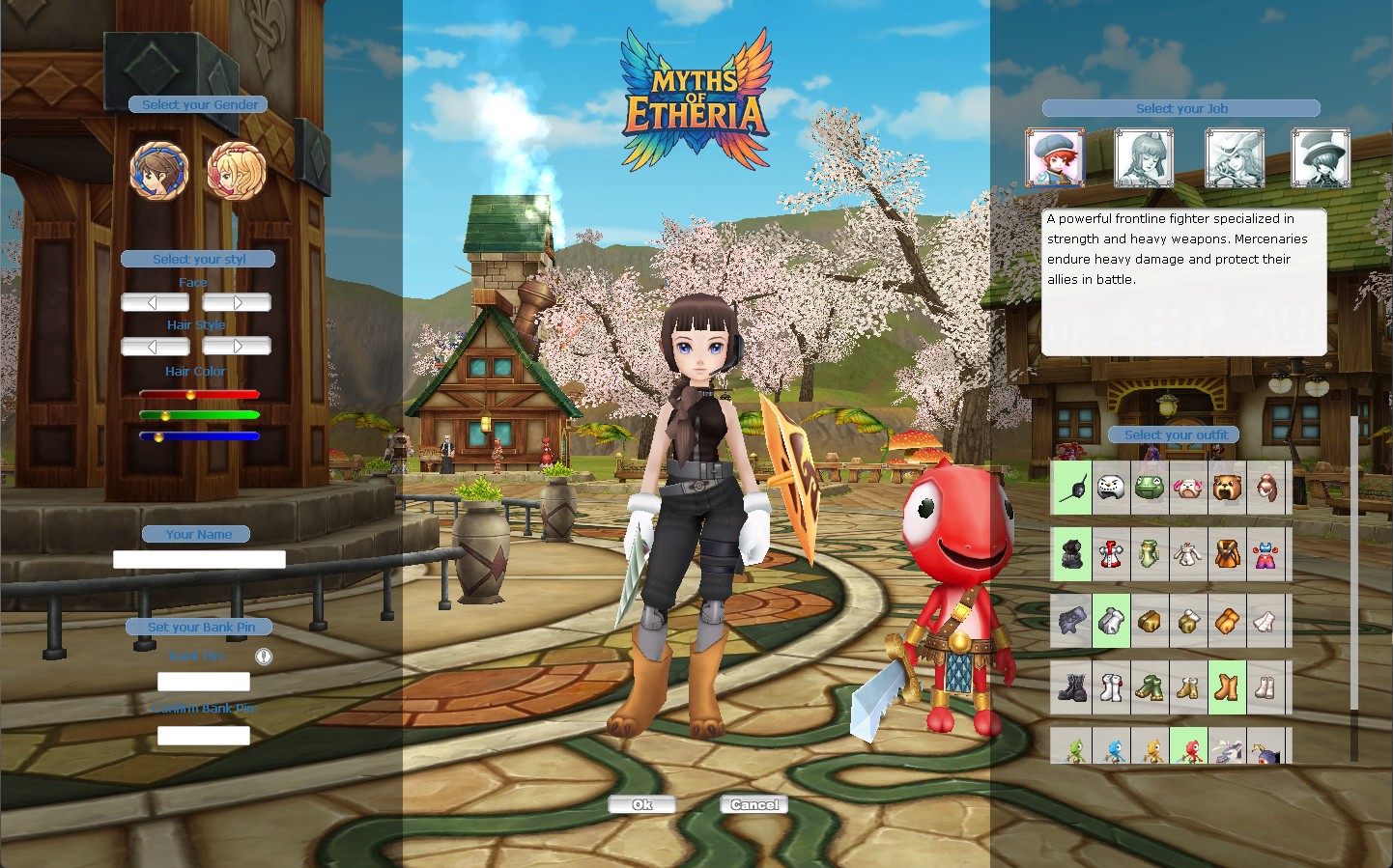
Zrzut ekranu: Extended Character Creation

Extended Character Creation

The Extended Character Creation gives you expanded options to customize your character. Choose from additional hairstyles, faces, colors, CS Sets, CS Pets, and even your preferred class to create a unique character that perfectly matches your style.
Powrót do przeglądu
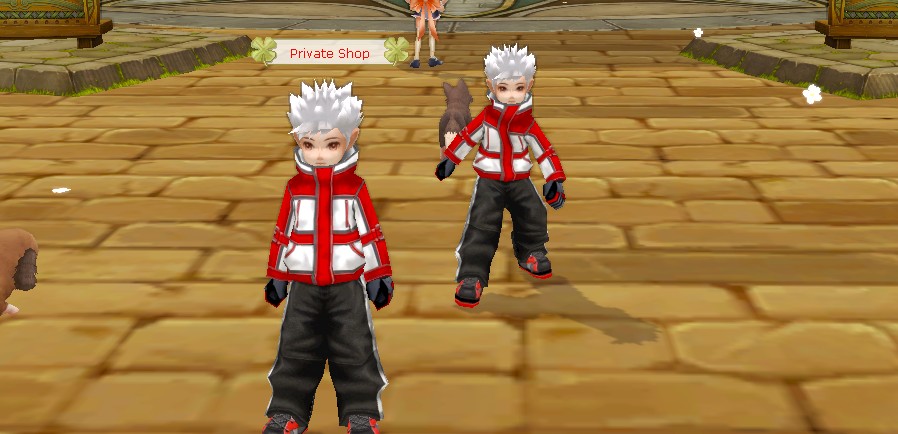
Zrzut ekranu: Offline Vendor

Offline Vendor

The Offline Vendor allows you to keep your shop open even while you are offline. Continue selling items and earning Penya while you are away from the game. This keeps your trading active so other players can browse and purchase your items at any time.
Powrót do przeglądu
Zrzut ekranu: Resizeable Inventory

Resizeable Inventory

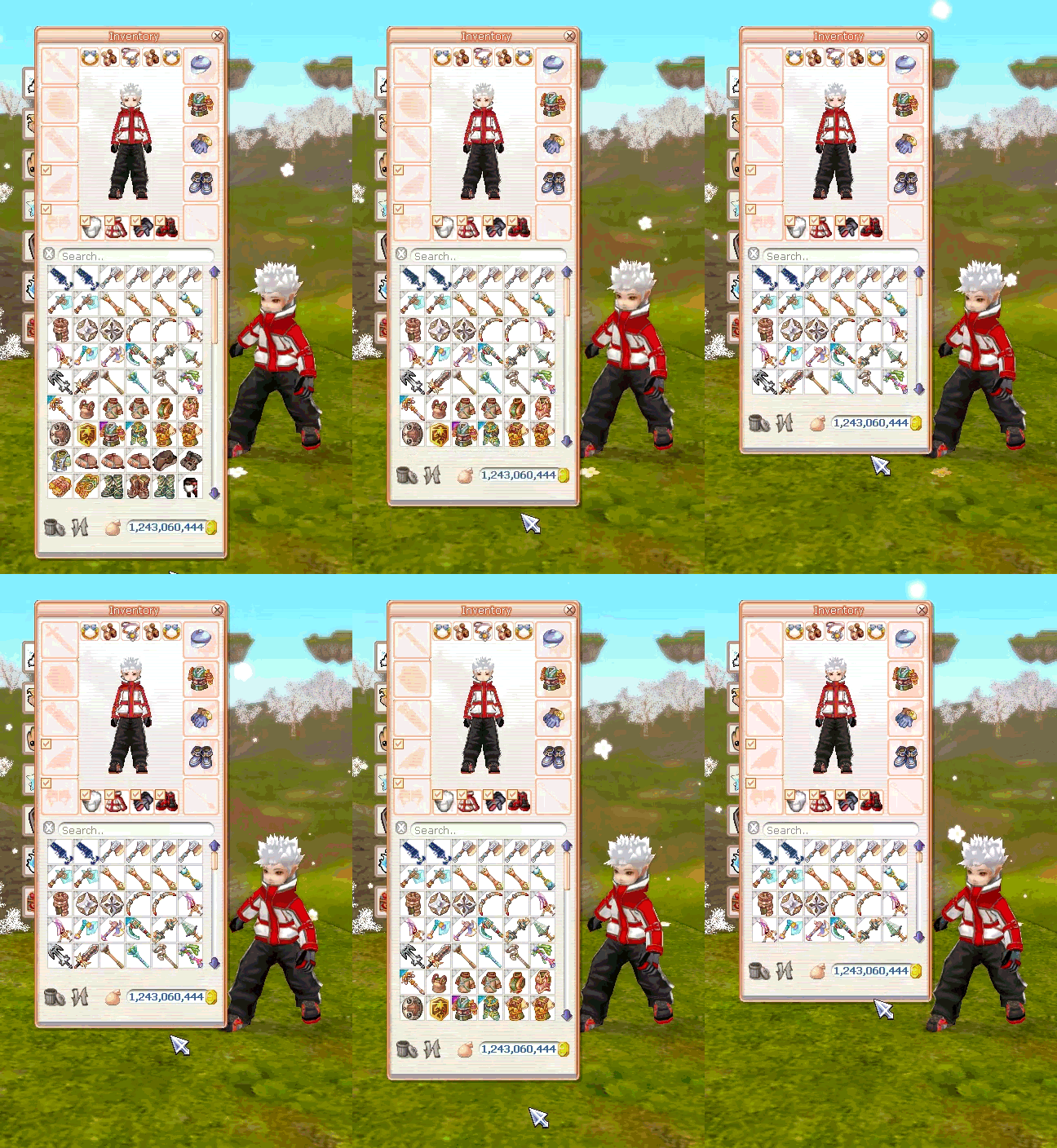
The Resizeable Inventory allows you to freely adjust the size of your inventory window. Resize the interface to better organize your items and make the most of your available screen space for a more comfortable inventory management experience.
Powrót do przeglądu
Zrzut ekranu: Monster Catcher

Monster Catcher

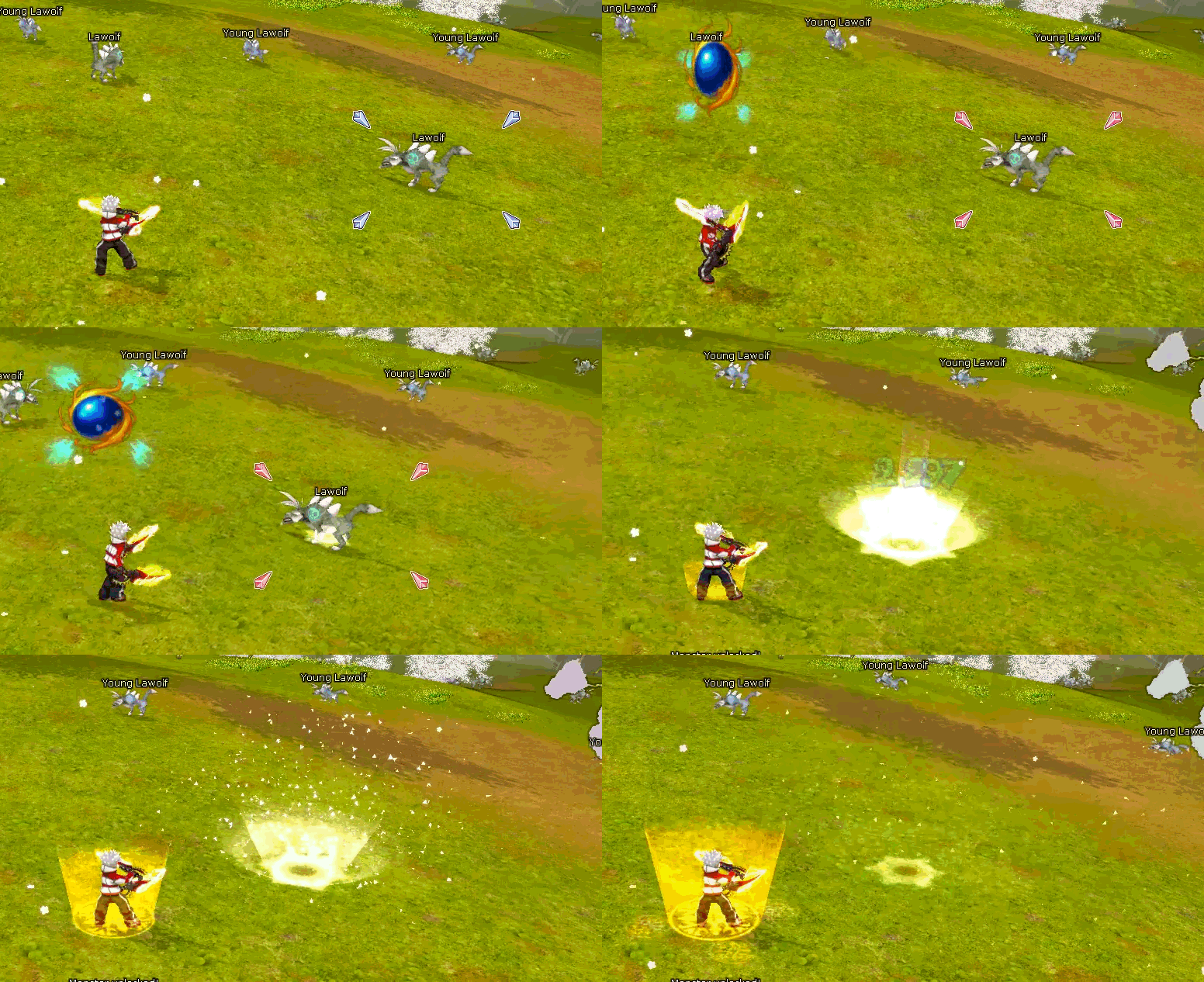
The Monster Catcher allows you to capture certain monsters and register them in your Monster Chronicle. Collect creatures from all across Madrigal, complete your collection, and discover rare monsters throughout your adventures. Every successful capture brings you closer to completing your monster archive.
Powrót do przeglądu
Zrzut ekranu: Slot Machine

Slot Machine

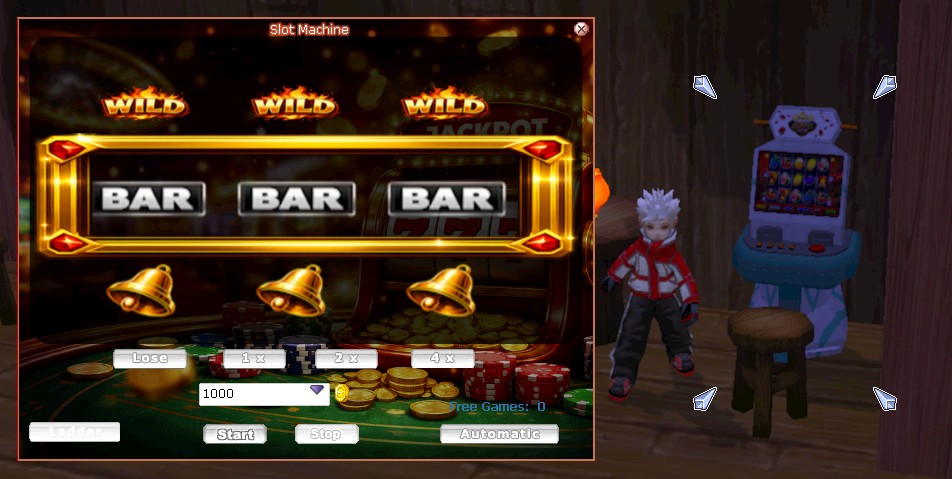
The Slot Machine adds excitement and entertainment to your adventure. Place your bets, spin the reels, and try to win rare rewards, free spins, or special prizes. With different betting levels, you can challenge your luck anytime.
Powrót do przeglądu
Zrzut ekranu: Advanced Options

Advanced Options

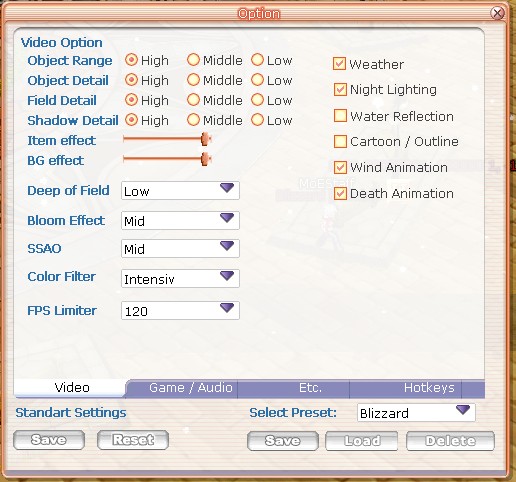
The Advanced Options provide extensive settings to customize graphics, effects, and performance. Adjust details such as shadows, lighting, bloom, SSAO, or FPS limits, and save your own presets for the best gameplay experience. Optimize the visual quality to perfectly match your hardware and personal preferences.
Powrót do przeglądu
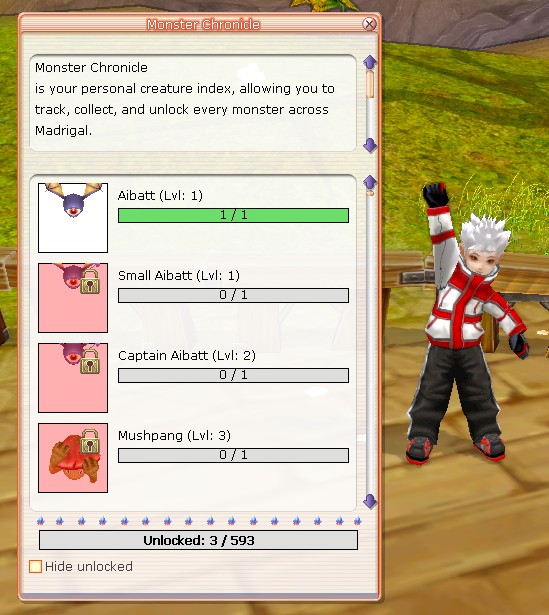
Zrzut ekranu: Monster Chronicle

Monster Chronicle

The Monster Chronicle is your personal monster encyclopedia, allowing you to collect and unlock creatures from all across Madrigal. Use Monster Catchers to register new monsters and complete your collection. Track your progress and discover rare and powerful creatures throughout your journey.
Powrót do przeglądu
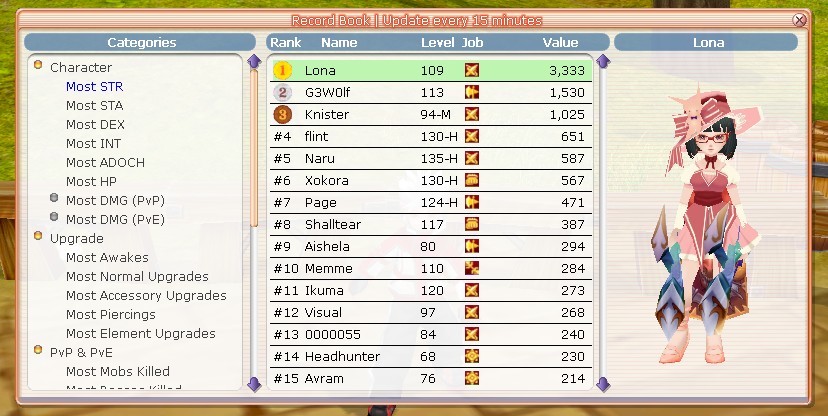
Zrzut ekranu: Record Book

Record Book

The Record Book showcases the top players and most impressive records across various server categories. Compare stats such as attributes, upgrades, PvP performance, or monsters defeated, and see who currently holds the highest ranks. Rankings are updated regularly so you can always follow the latest achievements.
Powrót do przeglądu
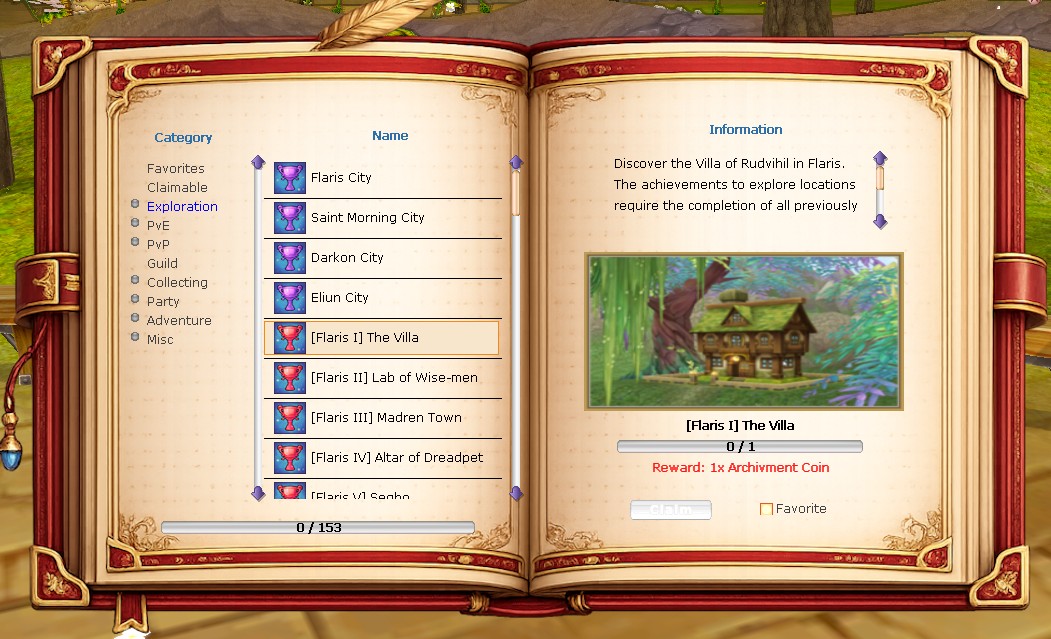
Zrzut ekranu: Archivment System

Archivment System

The Achievement System rewards you for exploring the world, completing special challenges, and reaching various milestones. Track your progress across categories such as exploration, PvE, PvP, and collection tasks, and earn exclusive rewards for completing achievements.
Powrót do przeglądu
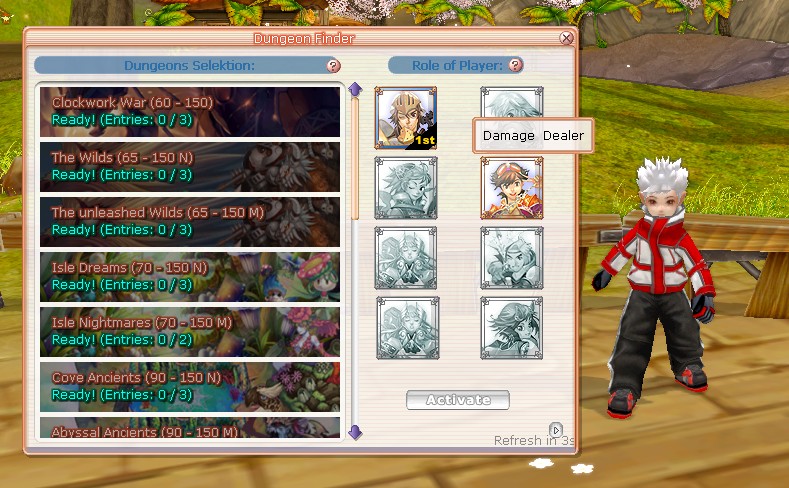
Zrzut ekranu: Dungeon Finder

Dungeon Finder

The Dungeon Finder helps you quickly find groups for dungeons  or create your own team. Select your role and join matching parties automatically to tackle challenging content together. Find teammates faster and jump into the adventure without long waiting times.
Powrót do przeglądu
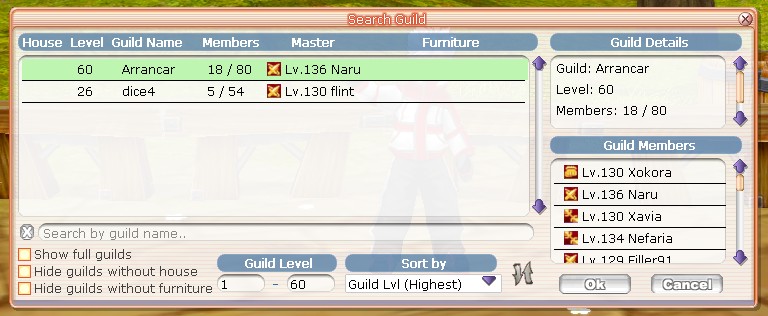
Zrzut ekranu: Guild Finder

Guild Finder

The Guild Finder helps you quickly and easily find the right guild for your adventures. Browse guilds by level, member count, guild house, or furniture, and view detailed information about members and guild leaders. Perfect for discovering active communities and new teammates.
Powrót do przeglądu
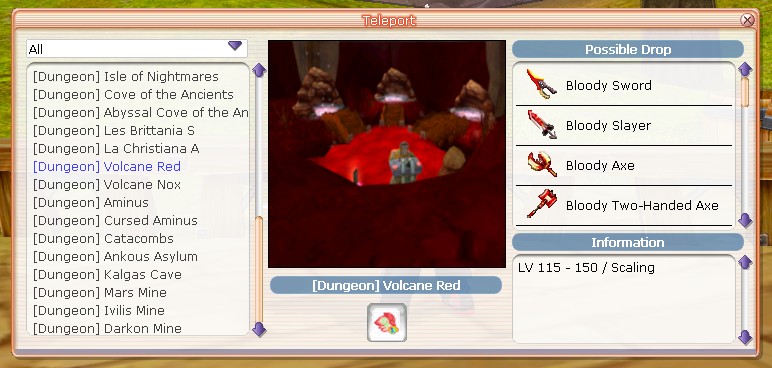
Zrzut ekranu: Teleporter

Teleporter

The Teleporter allows you to quickly travel to dungeons, regions, and important locations across the game world. It also provides information about recommended level ranges and possible drops in the selected area. Find the best places for leveling, farming, and exploration with ease.
Powrót do przeglądu
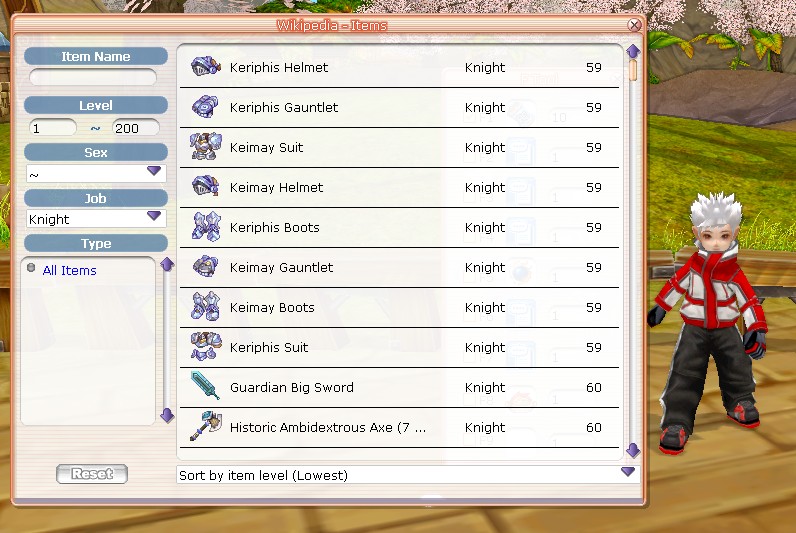
Zrzut ekranu: Item Wikipedia

Item Wikipedia

The Item Wikipedia provides a detailed database of all available in-game items. Search and filter items by name, level, class, gender, or type to quickly find the equipment and weapons you need. Perfect for planning builds and discovering rare items efficiently.
Powrót do przeglądu
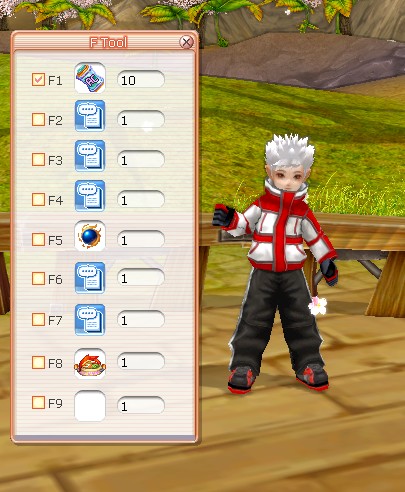
Zrzut ekranu: F-Tool

F-Tool

The F-Tool allows you to assign items or actions directly to the F1–F9 hotkeys for fast and convenient in-game usage. Set consumables, buffs, or other important items and customize the amount for automatic use. Keep your most important actions ready at all times.

Powrót do przeglądu
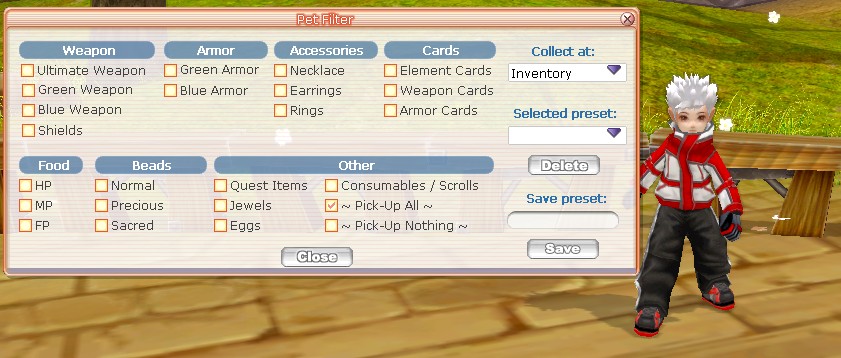
Zrzut ekranu: Pet Filter

Pet Filter

The Pet Filter allows you to customize exactly which items your pet will automatically pick up. Select specific categories such as weapons, armor, cards, consumables, or quest items, and save your own presets for different situations. Keep your inventory organized while your pet only collects the items that truly matter.

Powrót do przeglądu

Chcesz je wypróbować w grze?

Pobierz klienta, zaloguj się i odkryj każdą funkcję na własną rękę.

Logowanie

Zaloguj się na swoje konto gry.